Watch almost any polished brand video and you’ll notice that much of what you see isn’t the person talking. It’s the hands pouring coffee, the close-up of a product label, the slow pan across a venue before guests arrive. That footage is called b-roll, and learning how to film b-roll is one of the fastest ways to make your videos look more professional. This guide explains what b-roll is, which shots to get, the camera techniques that make it feel cinematic and how to plan it so you never run short in the edit.
What is b-roll, and why does it matter?
Your main footage, often called a-roll, is the core of the story: an interview, a founder talking to camera or a host walking through a space. B-roll is the supporting footage you cut to while that audio keeps playing. It shows what the speaker is describing, hides edits and jump cuts, and gives the viewer’s eyes something new every few seconds. On social media, where people decide in moments whether to keep watching, that visual variety keeps them on your video longer.
How to film b-roll: the shots every video needs
A simple way to make sure you have enough coverage is to film each moment or subject in three sizes. Editors can then cut between them smoothly.
Wide shots
Wide shots set the scene. Show the outside of the building, the full room, the event space or the treatment area. They tell viewers where they are before you move in closer.
Medium shots
Medium shots show people doing things: a stylist working, a team setting up, guests arriving. They connect the setting to the action and are often the most useful shots in the edit.
Close-ups and details
Close-ups are where b-roll gets its texture. Think hands, tools, product labels, food, fabric, a signature on a document or a light catching glassware. Details make a video feel crafted and give the editor plenty of short clips to work with.
Process and reaction shots
Film something from start to finish when you can, such as a product being packed or a room being styled. Then grab reactions: a smile, a nod, a guest laughing. These moments add emotion that talking alone can’t.
Camera techniques that make b-roll look cinematic
Add slow, steady movement
Static shots are fine, but gentle movement makes footage feel alive. Try a slow push in toward your subject, a slide past an object in the foreground or a pan that reveals the room. A gimbal or slider helps, but moving smoothly with your body and bent knees also works. Keep the movement slow and deliberate, and pick one direction per shot.
Hold each shot longer than you think
A common beginner mistake is stopping too soon. Let the camera roll for at least five to ten seconds before and after the movement. The editor needs that extra footage to find a clean start and end point.
Use foreground layers
Shooting past a plant, a doorframe or a shoulder adds depth. It makes the frame feel three-dimensional rather than flat, and it’s an easy upgrade that costs nothing.
Consider slow motion
Recording at a higher frame rate and slowing it down in editing gives pours, hair flips, fabric and confetti a smooth, dreamy feel. Use it for a few key moments rather than everything, so it stays special.
Match your light and settings
B-roll will be cut right next to your main footage, so it should look like it belongs. Keep white balance consistent, avoid mixing harsh overhead light with warm window light in the same scene, and film at the same frame rate as your interview unless you’re intentionally shooting slow motion. If the video is for Reels, TikTok or Shorts, frame it vertically from the start; our guide on how to shoot vertical video covers that in detail.
How to plan b-roll before the shoot
The best b-roll is planned around what the speaker will say. Before the shoot, read through the script or interview questions and write down what viewers should see for each point. If a med spa owner talks about a calm, private experience, you’ll want shots of a quiet treatment room, soft towels and a welcoming front desk. If a venue manager mentions sunset ceremonies, schedule time outside during golden hour.
- Make a simple shot list grouped by location, so you film everything in one space before moving on.
- Tidy each area first. Clutter is much more noticeable on camera than in person.
- Ask staff or guests to repeat natural actions a few times so you can capture them from different angles.
- Leave time in the schedule. B-roll often takes as long as the interview itself.
For a full pre-shoot checklist, see our post on how to prepare for a video shoot.
Get more out of every clip
Good b-roll keeps paying off long after the shoot. The same clips can become background footage for future posts, short teasers, website banners and ads. That’s why it’s worth filming a little more than you need today. A library of strong, on-brand footage makes it much easier to post consistently without booking a new shoot every time.
FAQ
How much b-roll do I need?
More than you expect. A good habit is to capture several different shots for every point the speaker makes, in wide, medium and close-up sizes. Extra footage gives the editor choices and keeps the final video moving.
Can I film b-roll on a phone?
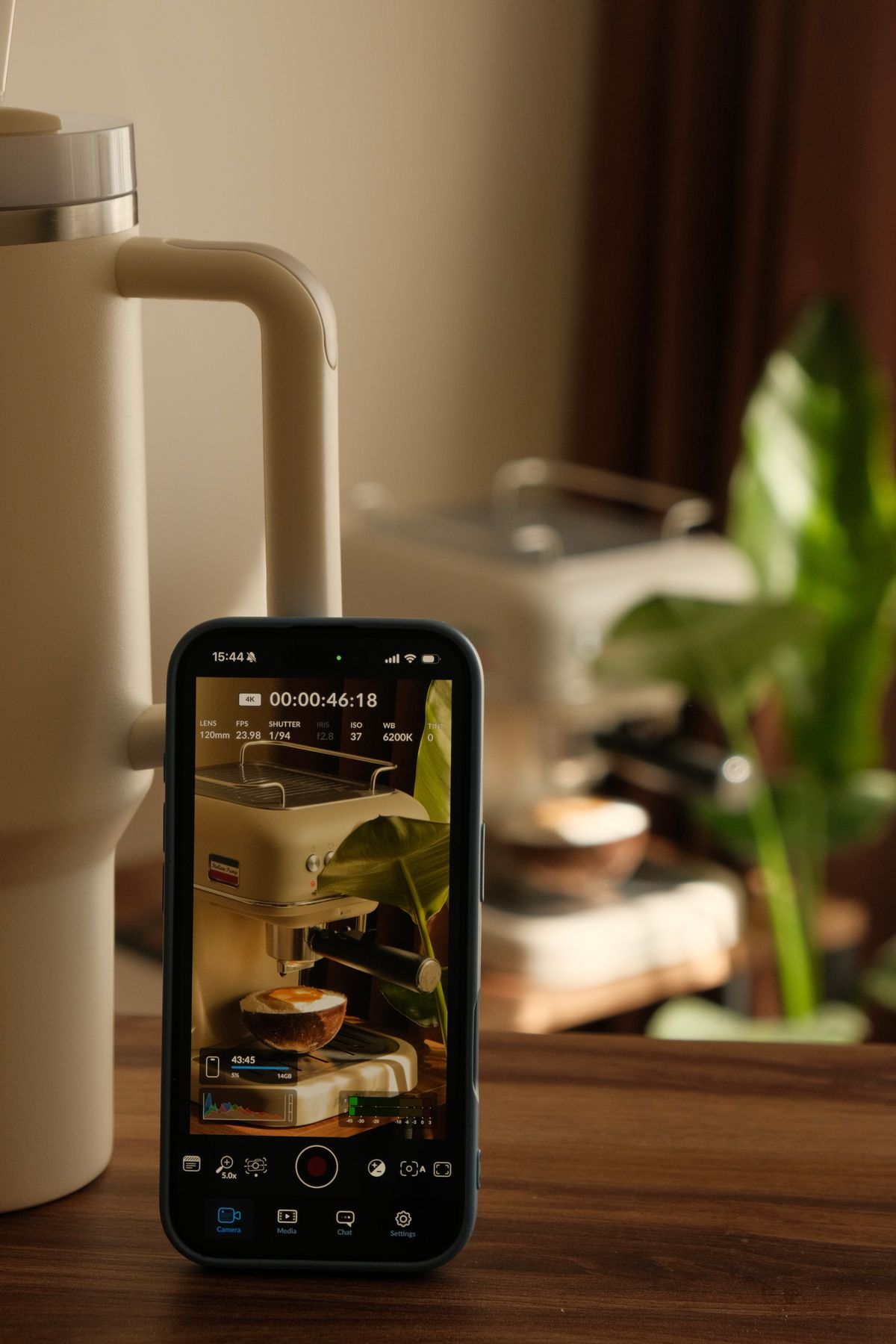
Yes. Modern phones can capture great b-roll, especially in good light. Clean the lens, lock focus and exposure, move slowly and keep the same settings across the shoot so clips match.
Should b-roll have sound?
Record it anyway. Natural sound, like a door opening or a drink being poured, can be mixed quietly under the voice to make the video feel more immersive.
Want b-roll that makes your brand look its best?
Camcastic is a video and content studio serving Southern California and destination projects, creating cinematic video, content and glam and 360 photo booth experiences for brands, venues, med spas and events. We plan and film the details that make your story feel polished. Explore our services, see finished projects in Client Stories, and get a quote for your next video.

